
Cyberattacks are no longer a problem reserved for large corporations. Small businesses, schools, hospitals, freelancers, and families are all targets, because attackers have learned that automation makes every connected device worth trying. Phishing kits are sold as subscriptions, ransomware is offered as a service, and AI tools have made convincing scam messages easy to produce at scale.
The practical answer for most organizations is cybersecurity software: the layered set of tools that detect, block, and respond to threats before they cause damage. But the market is crowded, the terminology is confusing, and vendors often promise more than any single product can deliver.
This guide explains what cybersecurity software is, the main categories you should know, the features that matter, how to choose, and the mistakes to avoid.
What Is Cybersecurity Software?
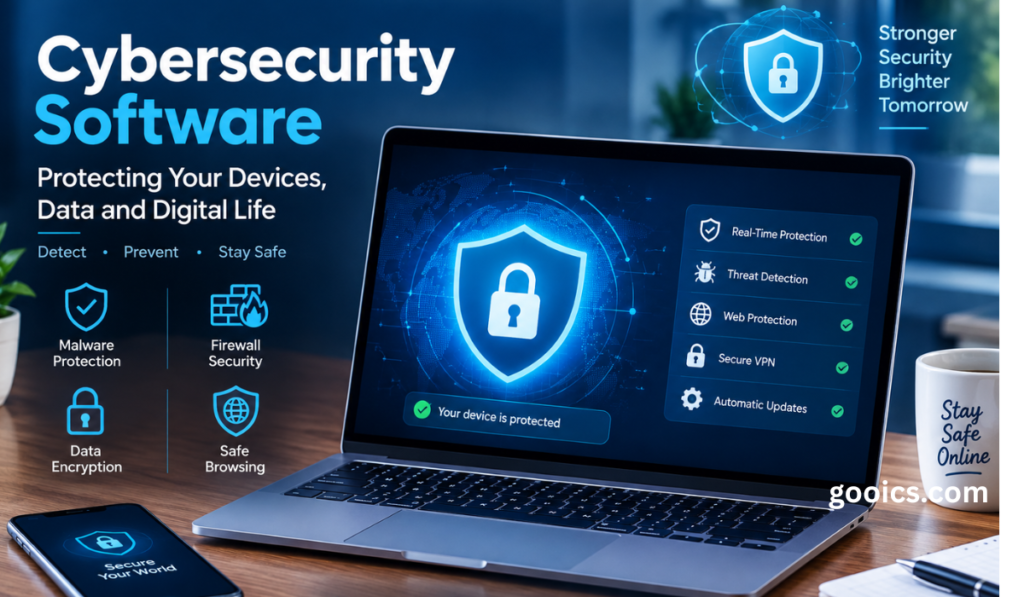
Cybersecurity software is any program or platform designed to protect computers, networks, applications, cloud services, and data from unauthorized access, damage, or theft. It works by preventing known threats, spotting suspicious behavior, limiting what an attacker can do after getting in, and helping you recover when something goes wrong.
No single tool covers everything. Effective protection is built in layers, an approach often called defense in depth. If one layer fails, another is positioned to catch the problem.
Why Cybersecurity Software Matters More Than Ever
Three trends make strong security tooling essential today:
- Work happens everywhere. Remote and hybrid work, personal devices, and cloud apps have dissolved the traditional office network perimeter.
- Attacks are cheaper and faster. Criminals reuse automated tooling, so even low-value targets get probed constantly.
- The cost of failure is high. Beyond ransom payments, a breach brings downtime, lost customer trust, legal exposure, and regulatory penalties under rules such as GDPR, HIPAA, and PCI DSS.
Software will not remove all risk, but it dramatically reduces the likelihood and impact of the most common attacks.
The Main Types of Cybersecurity Software
Understanding the categories helps you see what you already have and where the gaps are.
1. Antivirus and Anti-Malware
The classic foundation. Modern products go well beyond matching known virus signatures: they use behavioral analysis and machine learning to catch new malware, scripts, and ransomware. Consumer suites and built-in operating system protection fall here.
Best for: individuals, families, and very small teams as a baseline.
2. Endpoint Detection and Response (EDR) and XDR
EDR monitors laptops, desktops, and servers continuously, records activity, and lets security teams investigate and contain incidents, for example by isolating an infected machine. Extended detection and response (XDR) widens this view by correlating data from email, identity, cloud, and network sources.
Best for: organizations that need visibility and response, not just prevention.
3. Firewalls and Network Security
Firewalls control which traffic may enter or leave a network. Next-generation firewalls add application awareness, intrusion prevention, and filtering of malicious sites. Cloud and software-defined versions protect branch offices and remote users.
4. Email Security
Email remains the leading entry point for attacks. Email security software filters phishing, malicious attachments, business email compromise, and spoofed senders before they reach inboxes.
5. Identity and Access Management (IAM)
Stolen credentials are behind a large share of breaches. IAM tools include multi-factor authentication (MFA), single sign-on, password managers, privileged access management, and conditional access policies that evaluate risk at every login.
6. Security Information and Event Management (SIEM) and SOAR
SIEM platforms collect and analyze logs from across your environment to detect threats and support compliance. SOAR tools automate response workflows so analysts can act faster. These typically suit mid-size and larger organizations, or smaller ones using a managed provider.
7. Cloud Security (CSPM, CWPP, CASB)
As workloads move to cloud platforms, misconfiguration becomes a primary risk. Cloud security posture management finds risky settings, workload protection secures servers and containers, and cloud access security brokers govern the use of SaaS applications.
8. Vulnerability Management
These scanners identify unpatched software, weak configurations, and exposed services so you can fix them before attackers exploit them. Prioritization features, which rank flaws by real-world exploitability, are especially valuable.
9. Data Protection and Backup
Data loss prevention tools stop sensitive information from leaving your control, while encryption protects it at rest and in transit. Immutable, offline-capable backups are your best defense against ransomware because they let you restore without paying.
10. Security Awareness Training and Phishing Simulation
People are part of your security stack. Training platforms teach employees to recognize scams and measure improvement over time through simulated attacks.
Key Features to Look For
When comparing products, focus on capabilities that change outcomes rather than marketing language.
- Behavioral and AI-assisted detection that identifies unknown threats, not just known signatures.
- Real-time protection with automated containment of confirmed threats.
- Low performance impact so users are not tempted to disable it.
- Centralized management with one dashboard, clear alerts, and role-based access.
- Integrations with your existing identity provider, cloud platform, ticketing, and other security tools.
- Reporting and compliance support that maps to frameworks you must follow.
- Ransomware rollback or remediation features that can reverse malicious changes.
- Quality support and threat research, including clear update cadence and incident assistance.
- Transparent pricing without hidden fees for essential features.
How to Choose the Right Cybersecurity Software
Step 1: Know what you are protecting
List your devices, applications, cloud services, and the data that would hurt most to lose. You cannot protect what you have not identified.
Step 2: Assess your real risks
A dental office, an online store, and a software startup face different threats. Consider your industry, the regulations you must meet, and how much downtime you can tolerate.
Step 3: Be honest about your team
Powerful tools create alerts, and alerts require people. If you lack in-house security staff, favor products with strong automation, or consider a managed detection and response (MDR) service that monitors on your behalf.
Step 4: Prioritize the fundamentals
Before buying advanced platforms, make sure the basics are covered: endpoint protection, MFA everywhere, email filtering, regular patching, and tested backups. These controls stop the majority of common attacks.
Step 5: Trial before you commit
Run a pilot on a representative group of devices. Check detection quality, false positives, system impact, and how easy the console is to use day to day.
Step 6: Plan for growth
Choose tools that scale with your headcount and environment, and avoid long lock-in contracts until the product has proven itself.
Cybersecurity Software for Different Needs
Individuals and families: A reputable security suite or the built-in protection in your operating system, plus a password manager, MFA on important accounts, automatic updates, and a VPN on public Wi-Fi.
Small businesses: Business-grade endpoint protection, email security, MFA, a password manager, cloud backup, and basic employee training. Consider a managed service provider if you have no IT staff.
Mid-size companies: Add EDR or XDR, vulnerability management, SIEM or MDR, cloud security posture management, and formal incident response planning.
Enterprises: Integrated platforms spanning identity, endpoint, network, and cloud, with threat intelligence, automation, and a dedicated security operations function.
Common Mistakes to Avoid
- Buying tools instead of building a strategy. Software supports a security program; it does not replace one.
- Stacking overlapping products. Redundant tools add cost, complexity, and conflicts without adding protection.
- Skipping configuration. Default settings are rarely optimal. An unconfigured product is only partly protecting you.
- Ignoring updates and patches. Attackers favor known, unpatched vulnerabilities.
- Neglecting the human factor. One convincing phishing email can bypass expensive technology.
- Forgetting to test backups and response plans. A backup you have never restored is only a hope.
- Relying on free tools alone for business risk. Free options can be a good start, but they often lack management, support, and advanced detection.
Emerging Trends to Watch
- AI in defense and offense. Security vendors increasingly use AI for triage and investigation, while attackers use it to craft more convincing lures. Expect the gap between the two to keep shaping the market.
- Platform consolidation. Many organizations are moving from dozens of point products to fewer integrated platforms to cut complexity.
- Zero trust architecture. The principle of never trusting by default and verifying every user, device, and request is becoming standard design.
- Identity-centric security. As networks dissolve, identity becomes the new perimeter.
- Passwordless authentication. Passkeys and hardware-backed sign-in reduce phishing and credential theft.
- Regulatory pressure. Governments continue to tighten breach reporting and security requirements, making compliance features more valuable.
A Simple Starter Checklist
- Enable multi-factor authentication on every account that supports it.
- Deploy endpoint protection on all devices, including mobile.
- Turn on automatic updates for operating systems and applications.
- Filter email for phishing and malicious attachments.
- Use a password manager and unique passwords.
- Keep encrypted, versioned backups, with at least one copy offline or immutable.
- Train your people at least twice a year, and run phishing simulations.
- Write down an incident response plan and practice it.
Frequently Asked Questions
Is antivirus enough in 2026? For most businesses, no. Antivirus remains a useful baseline, but modern attacks involve stolen credentials, phishing, and cloud misconfigurations that require identity, email, and detection-and-response tools as well.
What is the difference between EDR and antivirus? Antivirus focuses mainly on preventing known and suspected malware. EDR continuously records endpoint activity, detects suspicious behavior, and gives you tools to investigate and contain incidents.
Do small businesses really need cybersecurity software? Yes. Attackers often target small organizations precisely because their defenses are lighter. Affordable, business-grade tools and good habits provide a large improvement in protection.
How much should I spend? There is no universal figure. A sensible approach is to match spending to the value of your data and the cost of downtime, covering the fundamentals first and then expanding as risk and size grow.
Can cybersecurity software stop all attacks? No product offers a guarantee. The goal is to reduce risk, detect problems quickly, limit damage, and recover fast.
Conclusion
Choosing cybersecurity software does not have to be overwhelming. Start by understanding what you need to protect and where your biggest risks lie. Cover the essentials: endpoint protection, strong identity controls, email security, patching, and reliable backups. Then layer on detection, monitoring, and cloud protection as your organization grows.
The best cybersecurity software is not the one with the longest feature list. It is the one that fits your environment, that your team can actually operate, and that works alongside good habits and a tested response plan. Invest in the right combination, keep it updated, and review it regularly, because threats keep evolving and your defenses must evolve with them.