

Introduction
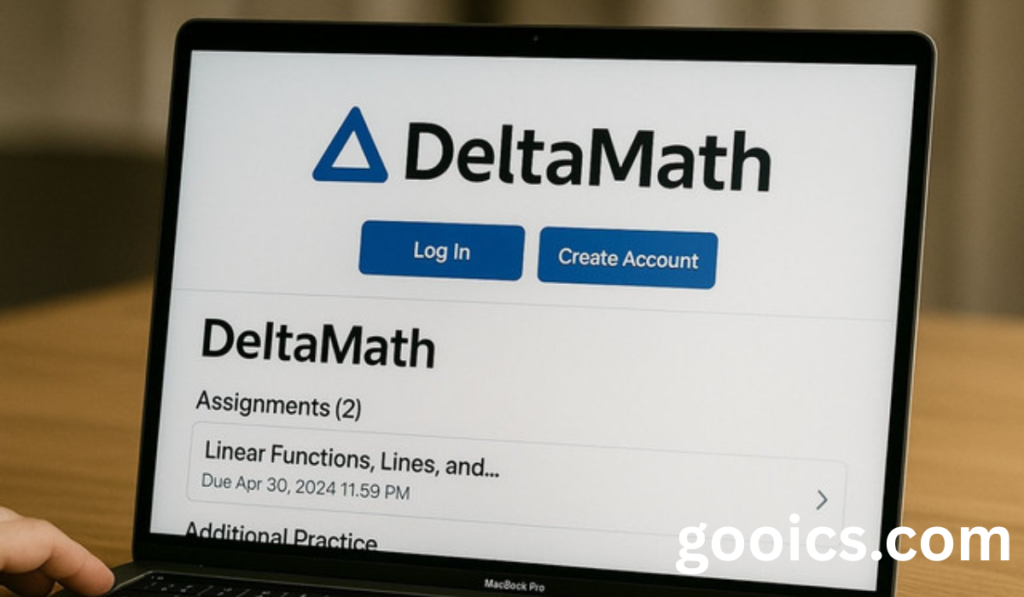
DeltaMath has become one of the most widely used online math practice platforms in schools across the country, giving students instant feedback on problems and giving teachers an easy way to assign and track work. But before any of that happens, you have to get logged in — and depending on whether you’re a student, a teacher, or signing in through your school’s system, that process can look a little different. This guide walks through exactly how the Delta Math login works for every type of user, plus what to do when it doesn’t go smoothly.
What Is DeltaMath?
DeltaMath is a free, browser-based math practice platform built for middle school, high school, and introductory college-level students, covering subjects from pre-algebra through calculus and statistics. Teachers assign problem sets, and students complete them online with instant, per-problem feedback. One of its defining features is that each student receives a version of a problem with different numerical values, so working through an assignment actually requires understanding the concept rather than just comparing answers with a classmate.
How Students Log In
For returning students, logging in is simple:
- Go to deltamath.com and click Login in the upper-right corner.
- Select the Student option.
- Enter your registered email (or username, for students under 13) and password — or use Sign in with Google if your school uses Google Workspace.
If it’s your first time using DeltaMath, you’ll need a class code from your teacher before you can register. This code is what links your new account to your teacher’s roster and assignments — without it, you can technically create an account, but you won’t see any coursework. During registration, you’ll enter the class code first, then fill in your name, email (or username), and a password.
Some schools also use single sign-on systems like Google Classroom, Clever, or ClassLink instead of DeltaMath’s own login page. If your school uses one of these, you’ll typically sign in through that system rather than entering a separate DeltaMath password.
How Teachers Log In and Register
Teachers follow a similar path but with an extra setup step:
- Go to deltamath.com and click Login, then select Teacher.
- New teachers should click Sign Up and register using a work email address, then confirm the account through a verification email.
- During setup, you’ll need to declare your school — skipping this step is a common reason the homepage appears grayed out afterward.
- Once set up, you’ll receive a unique class code to share with students so they can join your roster.
From the teacher dashboard, you can build assignments, track completion rates and scores, and manage your class list — including resetting a student’s password directly if needed.
Fixing Common Login Problems
Most Delta Math login issues fall into a few common categories:
- Forgot your password? Click “Forgot Password?” on the login page and enter your registered email; a reset link should arrive within a few minutes (check your spam folder if not). For classroom-managed student accounts without an email on file, teachers can reset the password directly from their dashboard.
- Signed in through Google, Clever, or ClassLink and still can’t log in? These accounts don’t use DeltaMath’s own password reset tool — you’ll need to go through your school’s IT support or identity system instead.
- Homepage looks grayed out? This usually means your school hasn’t been verified or declared yet; check your profile settings and confirm your school is selected correctly.
- Page not loading correctly or acting strange? Clear your browser cache and cookies first, then try disabling browser extensions — some ad blockers or script managers can interfere with the login process.
- Network blocking access? If your school’s network is blocking DeltaMath, try a different network (like your phone’s data) to confirm, then notify your teacher or IT department.
A Few Things Worth Knowing
- DeltaMath’s core practice tools, automatic grading, and progress tracking are free for both students and teachers.
- Paid tiers like DeltaMath PLUS and INTEGRAL add features like video hints and custom test-building tools, but they don’t affect the basic login or practice experience.
- DeltaMath requires an internet connection to work, since problems and grading run on their servers rather than being stored locally on your device.
- A single student account can be linked to multiple teacher class codes, which is useful if more than one class uses the platform.
Conclusion
Getting into DeltaMath comes down to knowing which path applies to you: a direct email-and-password login, a Google or school SSO sign-in, or a first-time registration that starts with a class code from your teacher. Most login hiccups — forgotten passwords, grayed-out homepages, or stubborn browser issues — have quick, well-documented fixes, so a few extra minutes of troubleshooting is usually all it takes to get back to your assignments.
FAQs: Delta Math Login
1. How do I log into DeltaMath as a student? Go to deltamath.com, click Login, select Student, and enter your registered email (or username) and password — or use “Sign in with Google” if your school uses Google Workspace.
2. Do I need a class code to create a DeltaMath account? Yes, first-time students need a class code from their teacher during registration; without it, an account can be created but no assignments will be visible.
3. Can students under 13 use DeltaMath without an email address? Yes, students under 13 can register with just a username instead of an email, which skips the email verification step.
4. What do I do if I forgot my DeltaMath password? Click “Forgot Password?” on the login page and enter your registered email to receive a reset link, or ask your teacher to reset it from their dashboard if you registered without an email.
5. Why does my DeltaMath homepage look grayed out? This usually means your school hasn’t been verified or declared yet — check your profile settings and make sure your school is properly selected.
6. Can I log into DeltaMath through Google Classroom, Clever, or ClassLink? Yes, many schools use these single sign-on options instead of a separate DeltaMath password, and password resets for these accounts go through the school’s IT system rather than DeltaMath directly.
7. How do teachers register on DeltaMath? Teachers click Login, select Teacher, sign up with a work email, verify the account, and declare their school before receiving a class code to share with students.
8. Can I join more than one teacher’s class on DeltaMath? Yes, a single student account can be linked to multiple class codes, which is useful if more than one of your classes uses the platform.
9. What should I do if DeltaMath won’t load or is acting strange? Try clearing your browser cache and cookies, disabling browser extensions, or switching to a different browser or network to rule out a local connection issue.
10. Is DeltaMath free to use? Yes, the core practice tools, automatic grading, and progress tracking are free; paid tiers like PLUS and INTEGRAL add extra features but aren’t required for basic login or use.


Pingback: Free AI Tools for Students in 2026: The Complete Guide