
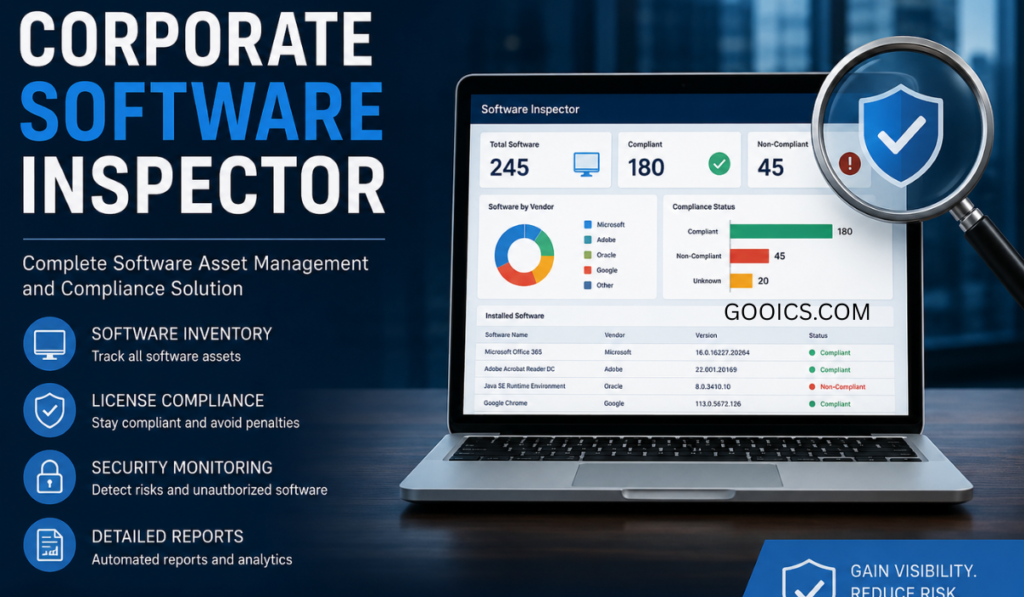

Every enterprise network is a sprawling collection of operating systems, browsers, productivity suites, and niche third-party applications — each one a potential entry point for attackers. Keeping that software inventory patched and current is one of the most effective things a security team can do, yet it’s also one of the hardest to do consistently at scale. This is the problem that Corporate Software Inspector (CSI) was built to solve.
What Is Corporate Software Inspector?
Corporate Software Inspector is a vulnerability and patch management solution originally developed by Secunia and later acquired and expanded by Flexera. It launched in 2008 as a scanning engine designed to determine the patch status of applications — a purpose-built tool to inspect software used in corporate systems for unpatched vulnerabilities. Over time, it evolved to support remediation through integration with patch deployment platforms like WSUS and SCCM, transforming from a simple scanner into a full patch management ecosystem.
It’s worth noting up front: in 2018, Flexera renamed Corporate Software Inspector to Software Vulnerability Manager, because the CSI name no longer reflected how far the product had evolved or where it was heading — though the underlying functionality and interface stayed the same at the time of the change. Many IT teams, documentation sets, and procurement records still refer to it as CSI, so the name persists in everyday use even though the current product line carries the Software Vulnerability Manager branding.
Core Capabilities
At its core, the platform continuously identifies vulnerable applications and applies security patches, leveraging verified vulnerability intelligence to assess tens of thousands of applications, prioritizing patches based on the criticality of vulnerabilities and security policy, and providing tested patch packages for non-Microsoft applications.
Its feature set typically spans:
- Vulnerability advisories sourced from continuously updated threat intelligence
- Cross-platform patch assessment for Windows, macOS, and Linux (RHEL) environments
- Risk-based patch prioritization, ranking remediation work by exploitability and business impact rather than treating every missing patch the same
- Prepackaged, pre-tested patches for common third-party applications, removing the manual work of building and validating packages in-house
- A packaging wizard for organizations that need to create custom patch packages
- Native integration with WSUS and SCCM (and modern equivalents), so patches deploy through infrastructure teams already trust and use
- Workflow, compliance, and reporting tools that turn raw scan data into audit-ready documentation
How the Agent Works
The scanning component — often called the CSI agent — follows a straightforward operational loop:
- Deployment — an agent is installed on endpoints (laptops, desktops, servers) or scanning is run agentlessly
- Scanning — the agent inventories every piece of installed software on the device
- Analysis — that inventory is checked against Flexera’s vulnerability intelligence database
- Reporting — results land in a centralized dashboard for review
- Action — IT and security teams prioritize, patch, and verify remediation
After patches are applied, the platform performs a rescan of systems with missing patches to confirm that remediation was successful — a verification step that both closes the loop on the vulnerability and produces evidence for compliance audits.
Why Vulnerability Intelligence Matters
A patch management tool is only as good as the intelligence feeding it. CSI draws on a continuously maintained vulnerability database that pulls vetted intelligence from sources like the National Vulnerability Database and vendor advisories, so security teams can trust the accuracy of what they’re acting on. In practice, this intelligence layer is what separates a true vulnerability management platform from a basic update checker — it’s not just flagging that a newer version exists, it’s connecting installed software to known, scored vulnerabilities and helping teams decide what to fix first.
Who Uses It, and Why
Corporate Software Inspector / Software Vulnerability Manager is aimed squarely at organizations with complex, heterogeneous software environments rather than small shops running a handful of standardized machines. It’s built for medium-sized to large companies, government agencies, and educational institutions that need robust security and visibility into compliance. Common drivers for adoption include:
- Compliance pressure. The platform supports compliance audits by providing reports on software versions, licensing, and patch status — particularly valuable for organizations bound by regulations like HIPAA, SOX, or PCI-DSS.
- Shadow IT visibility. Because it inventories every piece of software running across the environment, it helps prevent unauthorized or unmanaged applications from going undetected.
- Operational efficiency. Automating scanning and patching frees IT teams from manual, repetitive work so they can focus on more strategic initiatives.
Different teams get different value from the same deployment: security teams get prioritized risk data, IT operations gets automated patch workflows, and compliance officers get audit-ready reporting — all from one console rather than three disconnected tools.
Deployment Options
The platform is flexible about where it lives. It can run on-premises, as a virtual appliance, or in the cloud, and assessment can be performed either through installed agents or agentlessly, depending on the environment’s constraints and the organization’s preference for footprint versus depth of visibility.
A Practical Implementation Path
Rolling out an enterprise-wide vulnerability management platform isn’t a plug-and-play exercise, and Flexera’s own implementation methodology reflects that. A typical engagement follows five phases:
- Planning & Design — defining scope, objectives, and how the tool will integrate with existing SCCM/WSUS infrastructure
- Installation & Configuration — deploying the platform on-premises or provisioning the cloud tenant, and wiring up agent scanning
- Assessment & Mitigation — mapping installed applications to known vulnerabilities, prioritizing critical risks, and deploying patches
- Verification & Reporting — generating reports that prove patches were applied and risks were closed
- Training — hands-on knowledge transfer for the security, operations, and IT staff who will own the workflow going forward
A typical implementation engagement spans roughly 15 working days, assuming prerequisites such as RHEL servers and WSUS/SCCM infrastructure are already in place.
The Bottom Line
Unpatched software remains one of the most common and most preventable causes of security incidents. Corporate Software Inspector (now Software Vulnerability Manager) earned its long-standing reputation by tackling that problem end-to-end: discovering what’s actually installed, telling you which of it is dangerous, handing you a tested patch, and proving afterward that the fix worked. For organizations juggling hundreds or thousands of endpoints across mixed operating systems, that combination of intelligence, automation, and verification is the difference between patch management as a recurring fire drill and patch management as a routine, measurable process.
If you’re evaluating the tool today, it’s worth confirming with Flexera directly which current product tier and licensing model (Software Vulnerability Manager, on-premises vs. cloud) best matches your environment, since naming and packaging have continued to evolve since the original CSI launch.
Frequently Asked Questions
Is Corporate Software Inspector still called that today? No. Flexera renamed the product to Software Vulnerability Manager in 2018, because “Corporate Software Inspector” no longer captured how broad the platform had become. The name CSI still circulates widely in documentation, vendor pages, and IT conversation, but if you’re buying or licensing today, you’ll encounter it as Software Vulnerability Manager.
What’s the difference between Corporate Software Inspector and Software Vulnerability Manager? Functionally, they’re the same lineage — Software Vulnerability Manager is the continued evolution of CSI under a new name, not a separate product. At the time of the rename, the interface and core functionality stayed the same; the platform has continued to add capabilities since.
What operating systems does it support? Patch assessment covers Windows, macOS, and Linux (RHEL), making it suitable for mixed enterprise environments rather than Windows-only shops.
Does it require an agent on every endpoint? Not necessarily. The platform supports both agent-based scanning and agentless assessment, so organizations can choose based on their environment’s constraints and how deep a view they need into each device.
How does it decide which patches to apply first? It uses risk-based prioritization, weighing the severity and exploitability of a vulnerability against the criticality of the affected system, rather than simply listing every missing patch in the order it was discovered.
Does it patch non-Microsoft applications? Yes. One of its differentiators is offering prepackaged, pre-tested patches for common third-party applications, on top of native handling of Microsoft updates — reducing the manual work of building and validating packages in-house.
Can it integrate with tools we already use, like SCCM or WSUS? Yes. It integrates natively with WSUS and Microsoft System Center Configuration Manager, so patches deploy through infrastructure teams already manage, rather than requiring a separate deployment pipeline.
How does it support compliance audits? It generates reports on software versions, licensing status, and patch history, which is particularly useful for organizations subject to frameworks like HIPAA, SOX, or PCI-DSS that require documented evidence of remediation.
Is it suited for small businesses? It’s primarily built for mid-size to large organizations, government agencies, and educational institutions with complex, heterogeneous software environments. Smaller organizations with straightforward setups may find lighter-weight tools more cost-effective, though those with complex environments or strict compliance needs can still benefit.
Where can it be deployed? On-premises, as a virtual appliance, or in the cloud — giving organizations flexibility based on infrastructure preferences and data residency requirements.
How long does a typical implementation take? A standard implementation engagement runs about 15 working days, assuming prerequisites such as RHEL servers and WSUS/SCCM infrastructure are already in place. Larger or more complex environments may take longer.
Does it verify that a patch actually worked? Yes. After patches are deployed, it rescans affected systems to confirm the vulnerability was actually remediated, which also produces evidence for compliance reporting.